If you run retail stores in Saudi Arabia, you already know that every sale needs a tax invoice, and every invoice has to meet ZATCA’s e-invoicing rules. Phases, QR codes, XML files, clearance, reporting… it’s a lot to keep on top of while you’re also running your stores and serving your customers.
Here’s the good news. With the right POS, ZATCA e-invoicing happens in the background while your cashiers keep serving customers. They press “Confirm”, the customer gets a receipt with a QR code, and the invoice reaches ZATCA on its own.
So, what is ZATCA e-invoicing? It’s Saudi Arabia’s national e-invoicing program, also called FATOORA. It replaces paper and hand-edited invoices with structured electronic invoices that your system creates, secures and shares with the Zakat, Tax and Customs Authority (ZATCA). It applies to VAT-registered businesses resident in Saudi Arabia, for both business-to-business (B2B) and business-to-consumer (B2C) sales.
In this guide, we’ll walk you through what each phase asks of you, how your invoices travel to ZATCA, how to keep selling when the internet drops, and a simple checklist to make sure your POS system is ready.
Think of it this way: every sale you make now leaves a clean, digital, tamper-proof record. That gives you three clear wins.
- Accurate tax data: Your VAT figures come straight from the sale, so month-end and quarter-end close faster.
- Trust with clients and the authority: Your invoices carry a QR code your customers can scan, and every invoice follows the same format ZATCA expects.
- A stronger base for growth: When every store issues invoices the same way, a is a setup task, not a compliance project.
Phase 1 and Phase 2: What ZATCA E-Invoicing Asks of Your Stores
ZATCA rolled the program out in two phases. Let’s go through them one by one.
Phase 1: Going Digital (from 4 December 2021)
Phase 1 is about how you create and store invoices. Since December 2021, VAT-registered businesses in Saudi Arabia have had to issue and store their invoices electronically, through a compliant system.
Here’s what Phase 1 asks of your POS:
- Electronic invoices only: Invoices are created and stored by a compliant electronic system, not by hand or in a word processor. Every till in every store issues invoices in the same format.
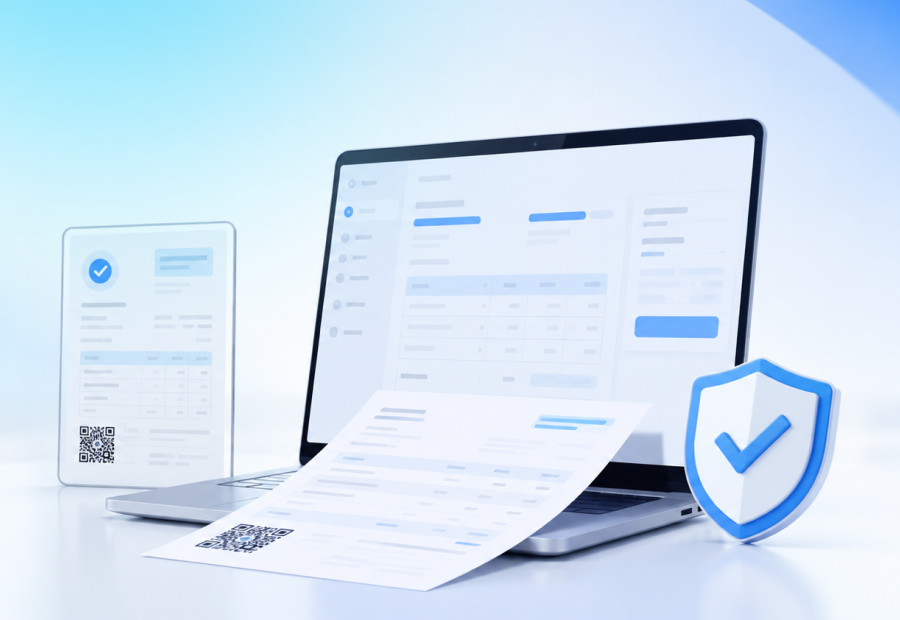
- QR code on simplified invoices: Simplified tax invoices (the receipts you give walk-in customers) carry a QR code. Your customer can scan it with ZATCA’s VAT app to see the invoice details.
- Tamper-proof records: Once an invoice is issued, it stays as it is. Changes go through a credit or debit note, invoices follow one unbroken sequence, the system’s date and time can’t be changed, and every user has their own login. Every sale, return and correction has a clear audit trail.
- Safe storage: Invoices are kept in your compliant system, so when your auditor or ZATCA asks for records, you can pull them in minutes.
Phase 2: Connecting Every Till to ZATCA (in waves from 1 January 2023)
Phase 2 is where your POS system starts talking to ZATCA directly. Your invoicing system connects to ZATCA’s FATOORA platform through an API, and each invoice gains a few more security layers.
ZATCA is bringing businesses into Phase 2 in waves, based on revenue. Each business is notified by ZATCA at least six months before its integration date, so check your ZATCA portal for your own wave.
Here’s what your system has to produce for ZATCA e-invoicing phase 2:
- Structured invoice format: Each invoice is created in XML, or as a PDF/A-3 file with the XML embedded inside. Your invoice data can be read by ZATCA’s systems as well as by people.
- Unique ID (UUID): Every invoice gets its own unique identifier. Every invoice stays uniquely identifiable across all your stores.
- Cryptographic stamp: Simplified invoices are digitally stamped at the till, using a certificate ZATCA issues for that device. Standard invoices receive ZATCA’s stamp when they’re cleared. Either way, ZATCA can confirm the invoice is genuine and hasn’t been changed.
- Invoice hash chain: Each invoice includes a hash (a digital fingerprint) of the invoice before it. Your invoices form an unbroken sequence, which keeps your records complete and in order.
This is the part most retailers ask about, because B2B and B2C invoices follow two different paths:
- Clearance (B2B standard tax invoices): The invoice goes to ZATCA first. ZATCA validates and clears it, and then you share it with your business customer. Best for wholesale orders, corporate clients and any sale to another VAT-registered business.
- Reporting (B2C simplified tax invoices): You hand the receipt to your customer right away, and your system reports the invoice to ZATCA within 24 hours. Best for everyday sales at the till, where speed at checkout matters most.
So your cashier serves walk-in customers at full speed, while your B2B invoices are cleared before they reach your client.
How Revest Makes ZATCA Compliance Automatic
Revest is compliant with ZATCA, and ZATCA e-invoicing is built into every checkout. Here’s what that looks like in your stores.
1. Compliance in a Single Click
- At checkout: When your cashier presses “Confirm”, Revest POS creates the hash, UUID, cryptographic stamp, XML and QR code automatically.
- For your team: Cashiers sell as usual, and compliance runs in the background.
2. Every Invoice is on the Right Path, B2B or B2C
- B2C: Simplified invoices are issued instantly at the till and reported to ZATCA in the background.
- B2B: Standard tax invoices are sent for clearance, and any invoice that needs a correction is held until it’s fixed, so your accounts stay accurate.
3. Keep Selling and Invoicing, Online or Offline
Can you keep selling when the internet drops? Yes, as long as your POS system is built for it. Such as the case with Revest. With an offline-ready POS, your cashiers keep scanning, taking payments and printing receipts with valid QR codes. When the connection returns, the system sends the stored invoices to ZATCA automatically. As long as the connection is back within 24 hours, your B2C invoices are still reported on time.
- Offline: Revest POS keeps issuing invoices with valid QR codes using a secure key stored on the device.
- Back online: Invoices sync to ZATCA automatically, with automatic retries once the connection is back.
When you compare systems, ask exactly which steps work offline and how the invoices sync back. Some features, such as sales on account, usually need a live connection, so it’s worth knowing the full list in advance.
4. Every Till’s Certificates, Managed from One Place
- From the back office: You register each POS terminal with its ZATCA certificate and keys, store by store.
- For growth: Every new store and new till is set up the same way, from one place.
5. Every Invoice Tracked All the Way to ZATCA
Response management: Revest reads ZATCA’s response to every invoice it sends and retries automatically when needed, so every invoice reaches ZATCA.
6. Receipts That Land Straight on Your Customer’s Phone
- After payment: Revest can send the official PDF invoice to your customer by SMS or WhatsApp.
- For your customers: A receipt they can find again whenever they need it.
Curious how it fits the rest of your stores? Take a look at Revest POS.
Is Your Business ZATCA-Ready? Run This 6-Point Check
Before your next audit, or before your Phase 2 wave, run through these checks with your team and your POS provider.
Your wave and deadline: Have you confirmed your Phase 2 integration date on the ZATCA portal? It sets the timeline for everything else on this list.
- Device certificates: Is every POS terminal in every store registered with its own ZATCA certificate? Each device stamps the simplified invoices it issues.
- B2B and B2C flows: Does your system clear B2B invoices and report B2C invoices automatically? Your team focuses on customers while the right invoice takes the right path.
- Offline invoicing: Can your tills issue compliant invoices offline and sync them automatically? Your stores keep selling through every busy weekend and every connection hiccup.
- Credit and debit notes: Are returns and corrections handled through credit and debit notes linked to the original invoice? Your records stay complete from the first sale to the last refund.
- ERP and accounting: Does your POS integrate with your ERP, so invoices and VAT figures match across systems? Finance closes the month from one set of numbers.
If you want a refresher on the basics first, our guide on what a POS system is is a good place to start.
Compliance That Powers Your Growth
Now that we’ve gone through the details of ZATCA e-invoicing, which setup is right for you? It often comes down to three simple questions:
- Do you sell to businesses as well as walk-in customers? Then you need a POS that handles both clearance and reporting automatically.
- Do you run more than one store? Then you need central control of every till’s certificates and invoices.
- Do your busiest days depend on a steady connection? Then you need compliant invoicing that keeps going offline.
If you answered yes to any of these, a unified retail platform with e-invoicing built in is the right fit.
As the leading retail platform in Saudi Arabia and the GCC, we’ve helped more than 200 businesses sell omnichannel, stay compliant with ZATCA at every till, and integrate with their ERP, all from one platform.
Ready to let compliance run itself? Talk to a compliance expert today.
Frequently Asked Questions
What is ZATCA e-invoicing?
ZATCA e-invoicing, also called FATOORA, is Saudi Arabia’s national e-invoicing program. VAT-registered businesses issue structured electronic invoices through a compliant system, and in Phase 2 that system connects directly to ZATCA.
What is the difference between Phase 1 and Phase 2?
Phase 1 (from 4 December 2021) covers generating and storing invoices electronically, with QR codes on simplified invoices. Phase 2 (in waves from 1 January 2023) adds integration with ZATCA’s FATOORA platform, plus XML format, UUID, cryptographic stamp and hash chain.
How do I know when my business joins Phase 2?
ZATCA notifies each business at least six months before its integration date. You can also check your status on the ZATCA portal.
Do B2C invoices need ZATCA approval before I give them to the customer?
No. Simplified (B2C) invoices go to the customer straight away and are reported to ZATCA within 24 hours. Standard (B2B) invoices are cleared by ZATCA before you share them with your client.
Can a POS system issue ZATCA-compliant invoices offline?
Yes, if it’s designed for it. Revest POS issues invoices with valid QR codes offline and syncs them to ZATCA automatically when the connection returns.
Where can I read the official ZATCA rules?
The official requirements, technical guidelines and wave announcements are on ZATCA’s e-invoicing page.